- Αρχείο
-
Σχέδια
-
-
όλες οι κατηγορίες -
Category #1 - New Category
-
Τα σχέδιά μου
-
- Εκτύπωση
- Κοινοποίηση
-
Βοήθεια
-
Quick help
- ctrl+a
Select all objects
ctrl+d Double the activate object
ctrl+e Clear all objects
ctrl+s Save current stage to my design
ctrl+o Open a file to import design
ctrl+p Print
ctrl++ Zoom out
ctrl+- Zoom in
ctrl+0 Reset zoom
ctrl+z Undo changes
ctrl+shift+z Redo changes
ctrl+shift+s Download current design
delete Delete the activate object
← Move the activate object to left
↑ Move the activate object to top
→ Move the activate object to right
↓ Move the activate object to bottom
shift+← Move the activate object to left 10px
shift+↑ Move the activate object to top 10px
shift+→ Move the activate object to right 10px
shift+↓ Move the activate object to bottom 10px - Custom help content

Copyright © 2017-2022 Lumise Inc.
All Rights Reserved.Powered by Lumise version 2.0.6
-
- Shop

- Αναίρεση
- Επανάληψη
-
-
English
-
Greek
Languages
-
- 0.0
-
My cart
- Επιστροφή στο κατάστημα

 English
- Design
- ΠΡΟΙΟΝΤΑ
- Templates
- cliparts
- Φωτογραφίες
- Κείμενο
- Σχήματα
- Layers
Κάντε κλικ ή απόθεση εικόνων εδώ
Κάντε κλικ ή σύρετε για να προσθέσετε κείμενο










Αναφορά σφαλμάτων
Please let us know if you find any bugs on this design tool or just your opinion to improve the tool.
Tips: If you want to send content with screenshots or videos, you can upload them to imgur.com or any drive services and put links here.
-
Ξεκινήστε το σχεδιασμό προσθέτοντας αντικείμενα από την αριστερή πλευρά
- όλα τα επιλεγμένα αντικείμενα ομαδοποιούνται | Ungroup?
- Group objects Group the position of selected objects
-
-
Fill options
Save this color
-
- Δημιουργία qrcode
-
Επιλογές
-
ευθυγραμμίστε αυτόματα τη θέση του ενεργού αντικειμένου με άλλα αντικείμενα -
ON: Keep all current objects and append the template into OFF: Clear all objects before installing the template -
Replace the selected image object instead of creating a new one
-
- Replace image
- καλλιέργεια
-
Mask
-
Select mask layer
-
-
Remove background
-
Remove background
-
Deep:
-
Mode:
-
-
Filters
-
Filters
-
- Original
- B&W
- Satya
- Doris
- Sanna
- Vintage
- Gordon
- Carl
- Shaan
- Tonny
- Peter
- Greg
- Josh
- Karen
- Melissa
- Salomon
- Sophia
- Adrian
- Roxy
- Singe
- Borg
- Ventura
- Andy
- Vivid
- Purple
- Thresh
- Aqua
- Edge wood
- Aladin
- Amber
- Anne
- Doug
- Earl
- Kevin
- Polak
- Stan
-
φωτεινότητα:
-
Saturation:
-
αντίθεση:
-
- Καθαρισμός Φίλτρων
- Κάντε κλικ στο κουμπί και στη συνέχεια σύρετε το ποντίκι για να ξεκινήσετε το σχέδιο. Ctrl+Z = undo, Ctrl+Shift+Z = redo
- QRCode text
-
Fill options
-
Fill options
Save this color
-
Transparent:
-
Stroke width:
-
Stroke color:
-
- Ungroup position
-
Ρυθμίστε τα στρώματα
-
Position
-
Object position
Lock object position:
-
Κέντρο κάθετο
-
Top left
-
Top center
-
Top right
-
κεντρικό οριζόντιο
-
Middle left
-
Middle center
-
Middle right
- Press ← ↑ → ↓ to move 1 px, <br>Hit simultaneously SHIFT key to move 10px
-
κάτω αριστερά
-
κάτω κέντρο
-
κάτω δεξιά
-
-
Transforms
-
Rotate:
-
Skew X:
-
Skew Y:
-
Flip X:
Flip Y:
Free transform by press SHIFT+⤡
-
-
Font family
-
Edit text
-
Edit text
-
-
Font size:
-
Letter spacing
-
Line height
-
-
Text Effects
-
Text Effects
-
-
Radius
-
Spacing
-
καμπύλη
-
Height
-
Offset
-
Trident
-
-
Text align
- Uppercase / Lowercase
- Font weight bold
- Text style italic
- Text underline
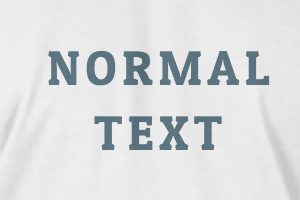
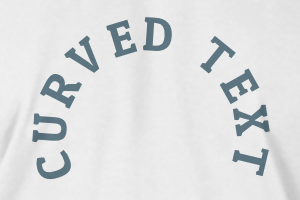
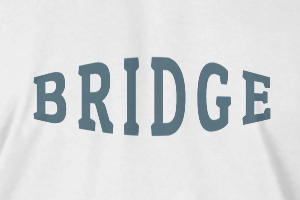
Scroll to zoom